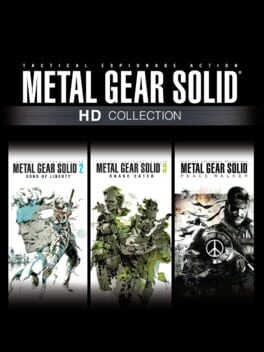
Metal Gear Solid 2: Sons of Liberty HD Edition is the HD Collection version of Konami’s stealth action game, originally developed by Konami Computer Entertainment Japan and published by Konami, with the HD Collection remaster work handled by Bluepoint Games and PS Vita HD work by Armature Studio. This guide is for the HD Edition identity, not a PS2-only Substance route, a Vita touch-control guide, or a Master Collection technical guide.
Content warning: Metal Gear Solid 2 material is rated Mature 17+ with violence, blood, partial nudity, suggestive themes, and drug-reference descriptors. This guide stays focused on play.
This is a beginner-friendly guide, but the game itself can feel demanding because its stealth controls are specific and punish rushed inputs. Treat the first hour as control practice, not just story progress.
Version Scope
| Version or Mode | What to Know |
|---|---|
| HD Edition | Use this guide for the HD Collection version of Metal Gear Solid 2: Sons of Liberty. |
| Substance content | Missions, Snake Tales, and Casting Theater are part of the HD Edition scope, but route-specific advice needs its own guide. |
| PS Vita HD Edition | Vita-specific touch controls and Transfarring behavior need a platform check before detailed control advice. |
| Master Collection | The current listing includes the HD Collection version, but platform behavior and extras should not be treated as original HD Edition defaults. |
| Original PS2 release | Do not assume every original-release prompt, pressure-sensitive input, or side mode applies exactly to HD Edition. |
Essential Tips
- Practice slow movement before you need it
Running is often the fastest way to create a problem. MGS2 cares about sound, and slow movement keeps footsteps from giving you away on noisy flooring. Before you start improvising around guards, learn the difference between walking, running, crouching, and crawling in a safe space. If a room looks simple but keeps turning into an alert, your movement speed may be the real mistake.
- Use first-person view as a precision tool
The HD Edition is built around MGS2’s expanded first-person weapon handling. Use it to line up careful shots, check angles, and manage hold-ups, but do not live in it while moving through every room. First-person view narrows your awareness and can interact awkwardly with cover. Use it when the shot or inspection matters, then return to safer movement.
- Treat the codec as part of your kit
The codec is not just story flavor. It is how the game reinforces objectives, controls, and immediate context. When you are unsure where to go, which tool matters, or why a room changed, check the codec before wandering into guard routes. MGS2 is much easier when you let the support system remind you what the mission expects.
- Separate stealth, escape, and combat decisions
Do not mash all options together. If you are hidden, move slowly, observe, and plan the next crossing. If you are seen, decide whether to run, roll, hide, or fight. If you are fighting, use deliberate attacks and reposition instead of trying to play it like a pure action game. The fastest recovery is usually the one that restores stealth.
- Learn walls, corners, and peeking early
Wall contact, corner peeking, leaning, and strategic cover give you safer ways to read patrols. A beginner who stops at a corner and watches for a few seconds will often outperform a player who sprints through every opening. Watch the guard route, confirm the next hiding place, then move.
- Use lockers as tools, not decorations
Lockers can hide you, hide enemies, and hold useful supplies. They also create risk if you make noise or pick a locker in a bad patrol path. Open them when the room is stable, use them for emergency concealment when they are nearby, and remember that hiding does not erase every consequence of being sloppy.
- Handle bodies with restraint
Dragging enemies and bodies is useful because patrol spaces are tight and a careless body can ruin a clean room. Move enemies away from obvious routes, doors, and sightlines. Do not repeatedly grab and drop unconscious enemies for supplies unless you are ready for the chance that they wake up.
- Make hold-ups controlled and quiet
Hold-ups are powerful, especially for dog tags, but they become messy if you start them in crowded places or near railings and walls. Approach unseen, keep the guard under control, and reposition only when the surrounding patrol pattern allows it. If another guard is close, isolate the target first instead of trying to force a tag in the open.
- Use non-lethal options when you can
A quiet solution keeps the room readable. Non-lethal play also fits naturally with dog tag collection, stealth practice, and later rank goals. You do not need a perfect no-alert run on your first clear, but every room you solve cleanly teaches more than a room you brute-force through.
- Save dog tags and high ranks for cleanup
Dog tags, unlockables, VR Missions, Snake Tales, and top-rank play are real goals, but they can pull a first clear apart. Learn the core route first. Once you understand patrols, holds, first-person aiming, and room structure, cleanup runs become less frustrating and much more consistent.
- Confirm your control scheme before copying advice
MGS2 has lived across several controller layouts, and HD Edition behavior is not identical across every platform family. Before following a very specific input sequence, check your current control menu and test the interaction somewhere safe. The idea matters more than the button label: aim carefully, lower or switch weapons safely, and do not drop control of a guard in front of them.
Stealth Tools and Cleanup Habits
| Situation | Best Habit |
|---|---|
| Noisy floor | Slow down before crossing |
| Tight patrol route | Watch from cover before moving |
| Unclear objective | Use the codec |
| Guard near a wall | Reposition before forcing a hold-up |
| Alert starts | Roll, break line of sight, or hide instead of panicking |
| Body in a patrol lane | Drag it out of sight |
| Locker nearby | Use it as a temporary hiding tool |
| Dog tag route | Save exact collection for a dedicated cleanup pass |
| VR Missions or Snake Tales | Treat them as separate skill tests after the story basics |
| Platform-specific prompt | Check the current control menu first |
Common Mistakes to Avoid
-
Do not sprint across noisy surfaces - Walk slowly when sound can expose you.
-
Do not ignore the codec - Call when the objective, controls, or next step is unclear.
-
Do not stay in first-person view while moving through patrols - Use it for precision, then return to awareness.
-
Do not start hold-ups beside other guards - Isolate the target before demanding a dog tag.
-
Do not lower your weapon in front of a held-up guard - Keep control or reposition safely.
-
Do not leave bodies in obvious patrol lanes - Drag them out of sight before continuing.
-
Do not overuse grab-and-drop supply tricks - Unconscious enemies can wake if handled too much.
-
Do not force dog tags on the first clear - Learn rooms first, then route collectibles later.
-
Do not copy platform-specific inputs blindly - Test your current HD Edition control layout.
-
Do not treat Snake Tales, VR Missions, and Big Boss rank as beginner goals - Save them for focused cleanup.
Summary
| Category | Top Tip |
|---|---|
| Scope | Use HD Edition advice, not PS2, Vita, or Master Collection-specific behavior |
| Movement | Walk slowly on noisy surfaces and crawl when stealth calls for it |
| Aiming | Use first-person view for precision, then regain awareness |
| Intel | Check the codec before wandering |
| Cover | Watch patrols from walls and corners before crossing |
| Lockers | Use them for hiding, supplies, and body management |
| Hold-ups | Isolate guards before demanding dog tags |
| Cleanup | Save dog tags, unlockables, VR Missions, Snake Tales, and ranks for later |
| Controls | Confirm the current layout before following exact input advice |
Did this answer your question?
Your feedback helps keep the useful answers visible.Sources
8 checked for this guideEvery factual claim in this guide was checked against at least two independent sources before publication. These are the references used for Metal Gear Solid 2: Sons of Liberty HD Edition.
Next answers

Community notes0
No community notes yet.
Sign in to contribute