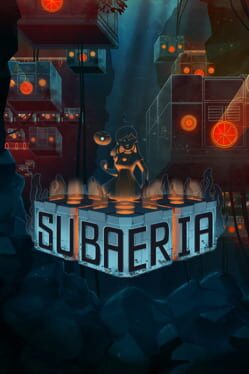
SUB is a free minimalist submarine exploration game by mannapi, built around darkness, sonar-style scanning, black-and-white LIDAR visuals, and hidden secrets. It is available through itch.io.
This guide focuses on spoiler-light first-run habits, not exact secret locations or full walkthrough routing.
Essential Tips
1. Do Not Panic at the Darkness
Starting in darkness is intentional.
Use the scan input to reveal the environment. The opening is teaching you the core mechanic, not showing a broken screen.
2. Scan in Short Bursts
Sonar is most useful when you compare changes.
Tap or click, look at what appears, move slightly, then scan again.
3. Build the Map Slowly
The game is about discovery, not speed.
Move through revealed shapes carefully and use repeated scans to understand walls, open space, and possible secrets.
4. Listen While You Explore
Sound supports the visual scan system.
Use audio cues to reinforce where the submarine is and how the space feels.
5. Search Side Paths for Secrets
There are three hidden secrets.
If a route seems optional or oddly shaped, mark it mentally and return after understanding the main path.
6. Use a Controller if It Feels Better
A/X button support is available alongside mouse click.
Try both input styles and pick the one that makes scanning comfortable.
7. Keep the First Run Atmospheric
SUB is short and discovery-focused.
Avoid full secret guides until you have experienced the main exploration arc.
8. Replay for Completion
Secrets are better cleanup goals.
After finishing once, return with a route-focused mindset and check hidden areas carefully.
Sonar Tips
- Scan, move, scan again: Compare revealed geometry.
- Use outlines as landmarks: Remember distinct shapes.
- Check unusual gaps: Secrets may sit off the main route.
- Do not rush through darkness: Slow movement preserves orientation.
- Use sound and visuals together: The game is built around both.
Resource Management
- Attention: Spend it on shapes and space changes.
- Orientation: Track where you came from.
- Curiosity: Save secret hunting for after first discovery.
- Input comfort: Choose controller or mouse early.
Hidden Mechanics
| Mechanic | What It Does | How to Use |
|---|---|---|
| Sonar/LIDAR scan | Reveals the dark environment | Scan in short bursts |
| Submarine movement | Navigates revealed space | Move slowly |
| Hidden secrets | Adds optional discovery goals | Check side paths |
| Audio atmosphere | Supports exploration tone | Listen while scanning |
| Short runtime | Rewards replay | Clean up secrets after first run |
Common Mistakes to Avoid
- Do not assume the dark screen is a bug - Scanning is required.
- Avoid rushing without scanning - You will lose orientation.
- Do not search every secret immediately - Learn the main route first.
- Avoid ignoring audio - It supports atmosphere and navigation.
- Do not chase secret routes before learning the basics - Exact route hunting is cleaner after a normal clear.
Summary
| Category | Top Tip |
|---|---|
| Start | Use sonar to reveal darkness |
| Navigation | Scan in short bursts |
| Secrets | Replay for hidden areas |
| Input | Pick controller or mouse for comfort |
Did this answer your question?
Your feedback helps keep the useful answers visible.Next answers

Community notes0
No community notes yet.
Sign in to contribute