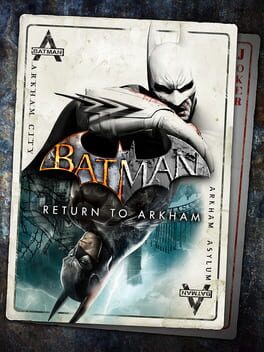
Batman: Arkham Collection is a Warner Bros. Games bundle of Rocksteady’s Arkham trilogy: Batman: Arkham Asylum, Batman: Arkham City, and Batman: Arkham Knight. On the current console collection, Asylum and City are the Return to Arkham versions, while Knight is bundled with its post-launch content. Treat it as three connected games with evolving systems, not one giant game with one shared ruleset.
Content warning: This collection carries Mature 17+ storefront labeling because it includes Arkham Knight. Expect comic-book violence, blood, language, suggestive themes, and tobacco/alcohol references. This guide stays non-graphic and focuses on play.
For a first run, play Asylum, then City, then Knight. Asylum teaches the core rhythm in the tightest setting. City expands traversal, gadgets, side content, and playable DLC characters. Knight then adds Gotham-scale movement, the Batmobile, Most Wanted missions, and newer stealth/combat layers.
Essential Tips
1. Start With Asylum Even If Knight Looks Flashier
Asylum is the cleanest tutorial for how the trilogy thinks. Its island layout, FreeFlow combat, Predator rooms, Detective Mode, Riddler challenges, and gadget-gated exploration are all easier to learn before City and Knight start layering more options on top. You also get the trilogy’s foundation without juggling an open city, multiple DLC characters, or the Batmobile.
That does not mean Asylum is disposable. Its Challenge Maps, hidden objectives, and XP-based equipment growth make it worth learning carefully. Use it to build habits: watch enemy tells, counter on timing, stun enemies who need it, and scan rooms before walking into danger.
2. Do Not Import Every Habit Forward
Each sequel changes the toolset. City gives Batman a larger open district, an expanded gadget set, better gliding, more Riddler pressure, and DLC characters such as Catwoman, Robin, and Nightwing. Knight keeps the core but adds the Batmobile, more combat options, environmental takedowns, Most Wanted missions, Fear Multi-Takedowns, and gadget use while gliding.
The right mindset is continuity with resets. Your combat timing carries forward. Your exact gadget menu, enemy counters, side-mission structure, and traversal priorities do not always carry forward unchanged.
3. Learn FreeFlow as Rhythm, Not Button Mashing
The trilogy’s combat rewards chaining clean actions while avoiding damage. In Asylum, keep the basics simple: strike, counter, evade, stun, and use quick gadgets only when they solve the enemy in front of you. Ground takedowns and special moves are valuable, but greedy animations can get interrupted if you trigger them in a crowd.
In City, combat gets busier because Batman has more moves, more gadgets, and more special options. In Knight, the system adds more ways to finish or reposition enemies. Across all three, the beginner rule is the same: keep the combo alive by choosing the next safe action, not the flashiest action.
4. Treat Armed Rooms as Stealth Problems First
Predator rooms are where the collection punishes superhero confidence. Armed enemies can overwhelm Batman if you fight them head-on. Before dropping into the room, identify isolated targets, vantage points, vents, weak walls, and gadget opportunities. Silent takedowns, ledge attacks, floor grates, explosive gel traps, and short retreats are all part of the rhythm.
As the games progress, enemies push back harder. They may react to repeated vantage-point use, investigate takedown locations, threaten hostages, or counter your information tools. If a room starts spiraling, relocate before trying another takedown.
5. Use Detective Mode, Then Look With Your Eyes
Detective Mode is one of Batman’s strongest habits. It helps identify enemies, weapons, armor, useful objects, and clues. Use it when entering rooms, checking Riddler spaces, reading enemy layouts, or confirming what a gadget can affect.
Do not leave it on constantly. Later entries introduce counters and design situations where over-reliance can make you miss normal environmental details. Pulse it, plan, then return to the regular view so you can read sightlines, routes, and the room’s actual geometry.
6. Separate Story Progress From Cleanup
All three games contain optional content, but the shape changes. Asylum has hidden challenges and island exploration. City has a much larger Riddler layer, hostage progression, DLC characters, and more side activity. Knight adds Most Wanted threads, Batmobile objectives, larger Gotham traversal, and a heavier DLC menu.
For a first playthrough, pick a cleanup boundary before you start. A good beginner approach is to clear obvious side content, grab nearby collectibles you understand, and leave route-heavy Riddler or challenge-map completion for later. You will enjoy the trilogy more if you do not turn every story chapter into a checklist audit.
7. Expect Arkham Knight to Feel Different
Knight is not just City with better visuals. The Batmobile is a major system for traversal, puzzles, pursuit, and combat. Some players love the added power; others need time to adjust to how often the game asks for vehicle thinking. Give it that time instead of trying to play Knight exactly like City.
Knight also changes stealth through tools like Fear Multi-Takedown and stronger enemy counters. When a room offers a setup for rapid takedowns, use it to thin the first group, then disappear and rebuild control. The safest Knight stealth pattern is fast opening pressure followed by patient repositioning.
8. Check What Your Bundle Actually Installed
Collection ownership can look different by platform. On console, Asylum and City may appear as Return to Arkham entries, while Knight can appear separately. DLC may be listed as add-ons, included packs, or in-game menu content. Before you chase a skin, episode, challenge map, or Season Pass mission, confirm that the relevant title and add-on are installed.
This matters most if you bought a physical package, changed consoles, or are playing on a newer console through compatibility. If something seems missing, check the game hub, add-on list, and library entries before assuming it unlocks inside the campaign.
9. Save Challenge Maps for Skill Practice
Challenge content is useful, but it is not the same as campaign progress. Combat challenges test clean FreeFlow timing. Predator challenges test routes, isolation, and gadget planning. DLC challenge characters may use familiar layouts with different strengths, vision tools, or gadget restrictions.
Use challenge maps when the campaign exposes a weakness. If you keep losing combos, practice combat. If armed rooms feel chaotic, practice Predator routes. If you just want story momentum, leave medals and scoring for a later dedicated pass.
10. Keep DLC in Its Lane
The collection includes a lot of post-launch content, especially around City GOTY and Knight. Extra characters, story episodes, skins, maps, Batmobile tracks, and villain missions are part of the package, but they should not all interrupt the main trilogy flow.
For a first pass, finish each main campaign before deep-diving extras tied to that game. Then return for character episodes, challenge packs, skins, and completion work. This keeps the trilogy readable and prevents DLC menus from becoming the hardest enemy.
Common Mistakes to Avoid
-
Skipping Asylum because the later games are bigger - You lose the cleanest introduction to FreeFlow, Predator rooms, gadgets, and detective habits.
-
Mashing attacks in FreeFlow combat - Random inputs break the rhythm that keeps combos alive and prevents damage.
-
Fighting armed groups head-on - Predator rooms are built for isolation, silent takedowns, gadget traps, and repositioning.
-
Leaving Detective Mode on all the time - It helps planning, but constant use can hide normal visual cues and later games can punish overuse.
-
Treating City and Knight as the same game - City expands the open-world and gadget formula, while Knight adds Batmobile-heavy movement, puzzles, and combat.
-
Chasing every collectible during the first story pass - Riddler cleanup and challenge medals are better handled once you know the map and toolkit.
-
Assuming every DLC item starts in the campaign - Some content lives in separate menus, add-on lists, challenge maps, or post-story episodes.
-
Ignoring enemy counters in later games - Enemies adapt to vantage points, vents, Detective Mode, armor, weapons, and hostage pressure.
-
Using Knight’s Fear Multi-Takedown like a panic button - It works best as an opening or controlled stealth tool, not after the room is already fully alerted.
-
Forgetting to check installed add-ons - Bundle ownership does not help if the title, episode, or pack you want is not installed on the current platform.
Summary
| Category | Top Tip |
|---|---|
| Play order | Start with Asylum, then City, then Knight |
| Scope | Treat the collection as three evolving games |
| Combat | Keep FreeFlow rhythmic instead of mashing |
| Stealth | Handle armed rooms with Predator tactics first |
| Detective tools | Scan, plan, then return to normal view |
| DLC | Finish main campaigns before deep cleanup |
| Knight | Give the Batmobile and Fear tools their own learning curve |
| Platform setup | Confirm installed titles and add-ons before hunting content |
Did this answer your question?
Your feedback helps keep the useful answers visible.Sources
8 checked for this guideEvery factual claim in this guide was checked against at least two independent sources before publication. These are the references used for Batman: Arkham Collection.
Next answers


Community notes0
No community notes yet.
Sign in to contribute